
Free PDF Splitter Online
A free online PDF splitter that gives you full control over your PDF pages. Upload your PDF, select the pages you want to keep, extract them into a separate PDF, or merge your chosen pages into a new document in seconds. The remaining pages download separately too, so nothing gets lost.
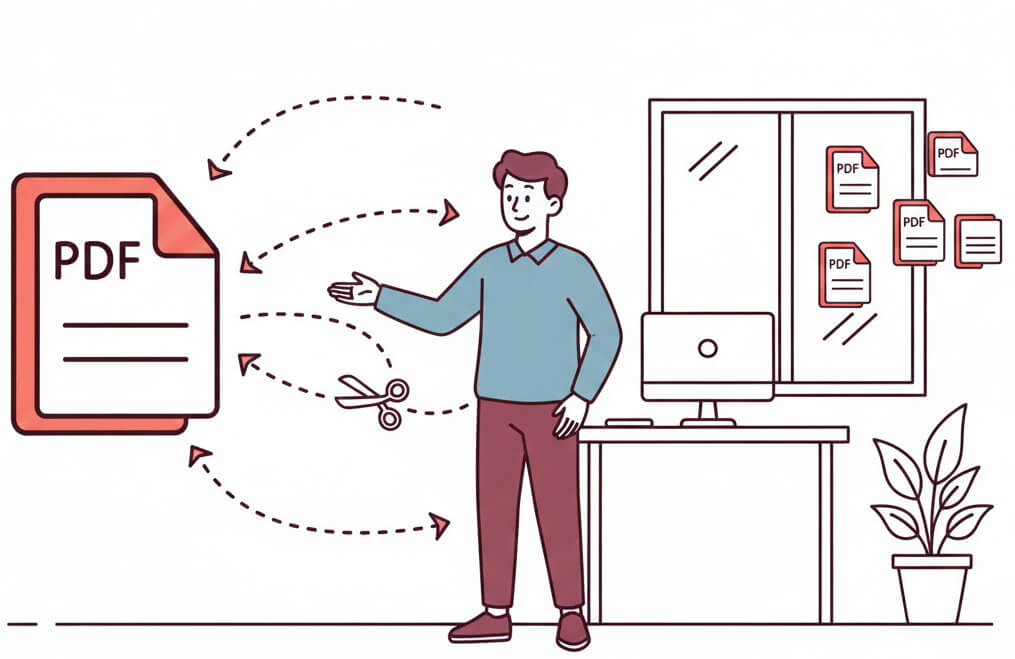
Split, Extract & Separate PDF Pages
How to Split PDF Files in 3 Steps
1. Upload Your PDF
Click to select or drag and drop your PDF file into the tool — no sign-up or software needed.
2. Select Your Pages
Choose the specific pages you want to extract, split into individual files, or merge into a new PDF document.
3. Split & Download
Click split and download your extracted pages or newly combined PDF instantly in seconds.
Why Use Our Free PDF Splitter Tool?
The easiest way to split, extract, and separate PDF pages online.
Lightning Fast
Split or extract pages from any PDF in seconds. Upload, select, and download without any delays.
100% Free
No hidden fees, no subscription required. Split as many PDFs as you need, completely free.
Privacy First
Your PDFs are processed securely and automatically deleted after 2 hours. Nothing is stored or shared on our servers.
Split or Extract Any Pages
Extract specific pages, split into individual files, or merge selected pages into a new PDF. It gives you full flexibility over your document.
Nothing Gets Lost
The pages you don't select are also downloaded separately, so every part of your original PDF is accounted for.
Works on Any Device
Fully browser-based, works on desktop, tablet, and mobile.
Build Document Automation That Scales With APITemplate
APITemplate is an API-first platform that generates professional PDFs and images at scale from reusable templates, raw HTML, or URLs. Integrate via REST API, SDKs, or no-code tools like Zapier, Make, and n8n.
Create Document Templates with Visual Editor
Create stunning PDFs using our WYSIWYG Template Editor. With its user-friendly interface, you can design templates visually — no coding required.
Combine your designs with JSON data to generate dynamic, fully-customized PDFs tailored to your needs. Perfect for invoices, reports, certificates, and more.
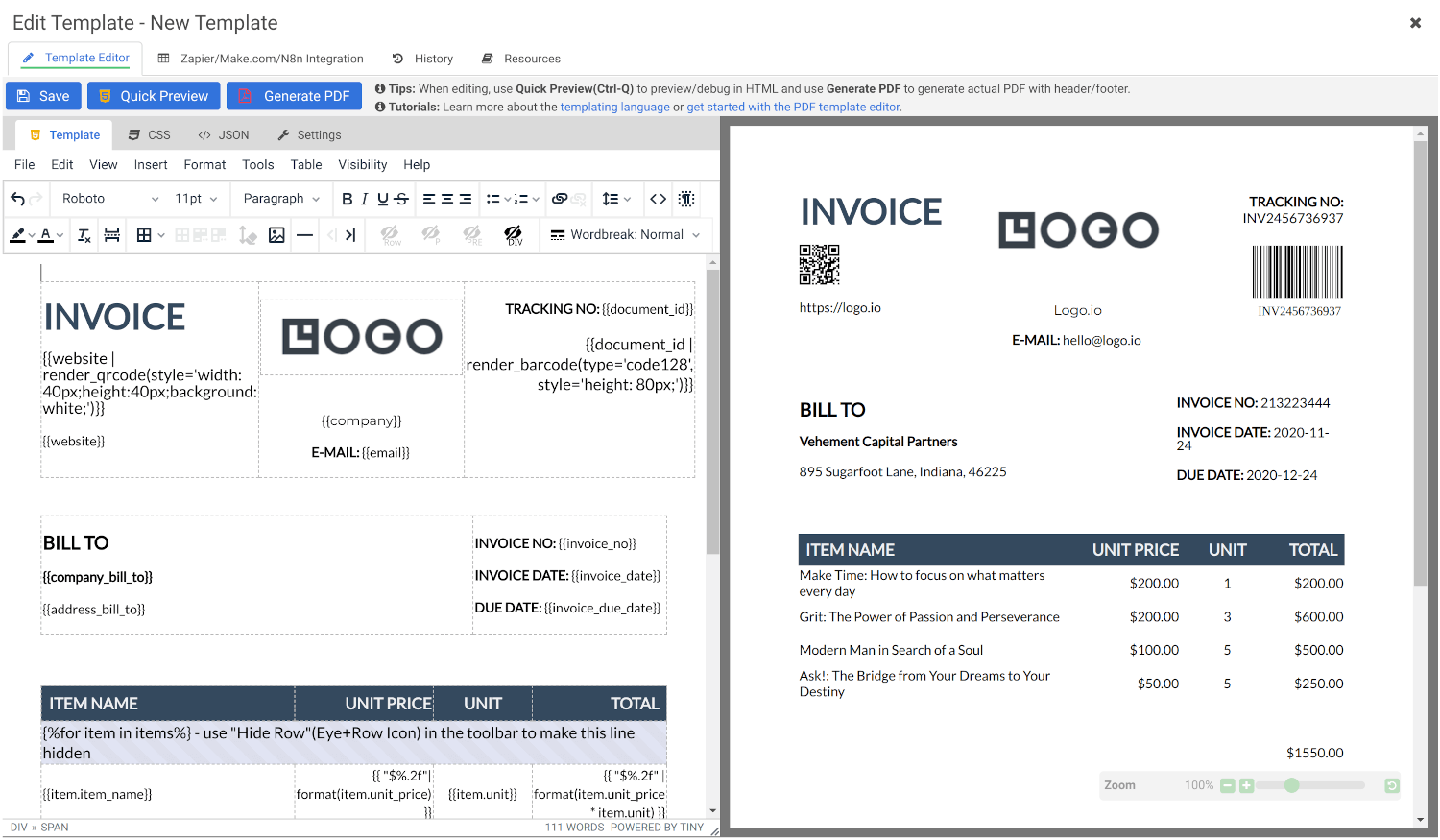
Convert HTML to PDF
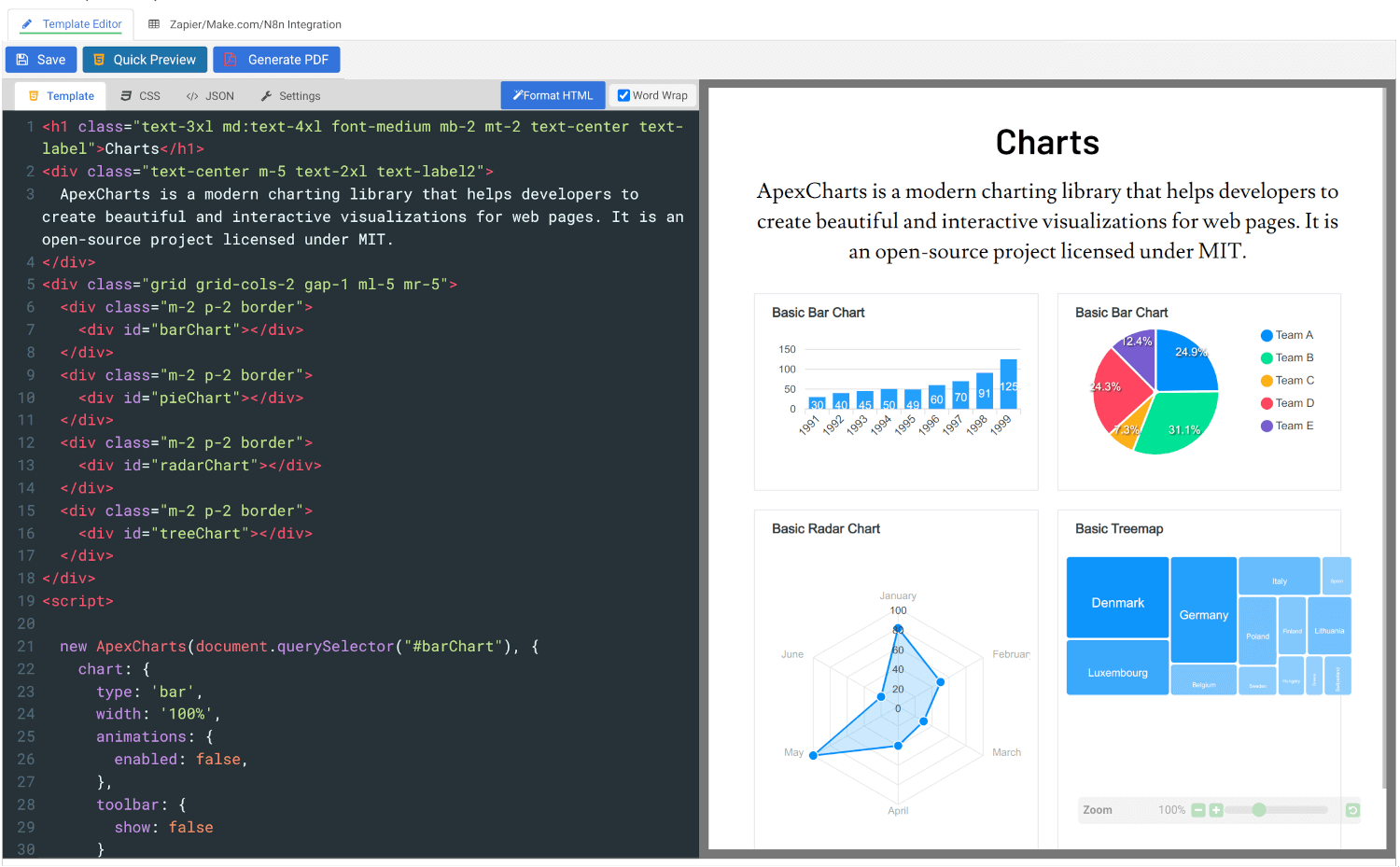
Convert HTML to PDF using APITemplate.io’s powerful HTML Template Editor. Combine your HTML, CSS, and JavaScript skills with dynamic JSON data to create custom templates that deliver pixel-perfect PDFs.
Our PDF generation solution supports modern web technologies, enabling seamless integration for your automated workflows, reports, and more.
Customer Reviews
Trusted by businesses worldwide to generate millions of PDFs and images reliably.
See what our customers have to say
 Jamie DearFounder
We are very grateful to Jacky and the team at APITemplate - their software has helped us to auto-generate high quality images for our student reports. It has been the perfect fit for us as we grow our Oxford summer school.
 Alex DowdingVice Secretary
The Wheelchair Football Association
We've successfully automated YouTube thumbnails and match event creation for our Powerchair Football league using your templates. It integrates with our Postgres database on retool.com, is expanding to include league table graphics and match results. Thanks to an AWS Inclusion and Diversity grant, we're enhancing our live-streaming workflow, further boosted by your product's automation capabilities. We're grateful for your excellent service and wanted to share our positive experience.
 Nishitha DhanekulaCofounder /CTO
At askreferral.io, We are building referral networking platform for people to pitch and generate leads for different kinds of referrals, including, but not limited to job referrals, product referrals, funding referrals, realtor referrals etc. Having a vibrant social media community is crucial for our growth and APITemplate.io played crucial role in automating generation of digital posters for job postings, profile pitches, funding requests etc, to help us grow from 0 to 200K+ followers in LinkedIn in less than one year.
 Danaé NicolasCTO
We've been using APITemplate.io to generate social images for our karting races and it's been a huge time-saver. The support team is super responsive and helpful - they quickly resolved an issue we encountered. We highly recommend this tool to anyone who needs a similar solution.
 Ryan TurnbullIT Manager
APITemplate.io is such an easy application to use. Simple, intuititive, and code free. At simplehuman, we render all our commercial invoices, dispatch notes, and multiple other templates. The ability to create multiple layouts, and group them into a logical container - makes our lives much simpler. This is a great tool to use, both affordable, and the support service turnaround time is second to none! Defintely worth the subscription!
 Ron P.Product Manager
Had an issue with template implementation via Make and reached out for support. Within minutes, I got a response and was soon on a Zoom call resolving it. Despite the issue not being directly related to APITemplate.io, their team efficiently guided me to the right formatting. Many thanks!
 Nicholas GertzProduct Owner
We have been using the service daily in our application for a year and are very satisfied with the reliability. It meets all our requirements and requests for changes/improvements can be discussed directly with Jacky 1:1. Thanks and greetings from Germany
 Lucas FridmanChief Product Officer
We use APITemplate to generate key documentation we need to work with our industry partners. We are building a digital solution in an antiquated industry, which means we need to communicate data to our partners in the format that they are accustomed to (pdf forms). APITempate makes it easy for us to do this!
 Jean-Paul HornPublisher
We love APITemplate.io for its simplicity and ease of use. Just setup once and "forget" about it due to its fabulous 3rd party integration. New features are regularly added, and reasonable custom requests are honoured within days.
 Kevin Frickē
APITemplate.io is one of the best services I have worked with in a very, very long time. They are super responsive and a joy to work with. If you are struggling with PDF's, like I was, check 'em out!
 Jacob MonashAutomation Specialist
We run conferences with a number of speakers, each requiring an individual speaker profile. We used to create all of these profiles manually, but by incorporating APItemplate into our Zapier workflow, our team can generate a complete image with all of the speakers information in one click. Using the template editor is a bit of a learning curve, but the support team is very responsive and helpful.
 George Cooper
APITemplate.io is great. I love being able to quickly use HTML and CSS templates with dynamic variables to create documents. Support is also fast and responsive. Great vendor!
Frequently asked questions
What is a PDF splitter tool?
A PDF splitter tool is a free online tool that lets you split, separate, or extract pages from any PDF directly in your browser. Upload your PDF, select the pages you need, and download — no software or sign-up required.
Can I extract specific pages from a PDF?
Yes. You can select exactly which pages you want to extract and download them as a separate PDF; the remaining pages are also downloaded separately so nothing is lost.
Can I split a PDF into individual pages?
Yes. Our PDF splitter lets you divide your entire PDF into individual pages, giving you a separate file for each page.
Can I merge selected pages into a new PDF?
Yes. Instead of just splitting, you can also select specific pages and combine them into a new PDF document, all within the same tool.
Will splitting a PDF affect the quality or formatting?
No. Splitting or extracting pages does not affect the original formatting, layout, fonts, or image quality of your document.
Is it safe to upload my PDF to split it?
Yes. Your PDF is processed securely and automatically deleted after 2 hours. Nothing is stored or shared on our servers.
Can I merge multiple PDFs after splitting them?
Yes. Once you have your split pages ready, use our free Merge PDF tool to combine them back into a single document in any order you need.
Can I also add page numbers after splitting my PDF?
Yes. After splitting, you can extract specific pages, merge them into a new document, and then use our free Add Page Numbers to PDF tool to add consistent page numbering across your newly created document.
Can I convert my split PDF pages to images?
Yes. If you need your extracted pages as image files, use our free PDF to PNG or PDF to JPEG tools to convert them instantly.
What is APITemplate.io?
APITemplate.io is designed for generating PDF documents from reusable templates. It can be easily integrated with popular tools like Zapier, Airtable, Make.com, Bubble.io, n8n, UiPath, or directly via REST API, making it highly adaptable to various workflows.
There are three main ways to generate PDF documents using APITemplate.io:
- Template-based PDF generation: Create PDFs from predefined templates.
- HTML to PDF generation: Convert HTML content directly into PDF format.
- URL to PDF generation: Convert entire web pages to PDFs by simply providing their URLs.
The platform also supports custom CSS and JavaScript, allowing for advanced styling and customization. Its powerful template engine ensures that you can create complex documents efficiently, while the API Console enables you to preview and customize JSON data instantly.
In addition, APITemplate.io offers support for adding custom headers and footers, including page numbers and total page counts, making it an excellent choice for creating polished, professional PDF documents.
Related Free PDF Tools
Whatever comes next, compressing, merging, splitting, or converting APITempate has a free tool ready for it. Explore all free PDF tools and keep the work moving.
Still Managing PDFs Manually? It’s Time to Automate.
Use APITemplate to automate bulk invoices, reports, and certificates from reusable templates, raw HTML, or URLs. Integrate with Zapier, Make.com, n8n, or REST API.